Pay once. That's the whole pricing page.

Just a
todo list.

No account. No subscription. No tracking in the app.

Your tasks live in your own Google Drive. They never touch our servers: we don't store them, we don't sell them, we don't "personalize your experience" with them. You're welcome.

Yes, the web version is actually free. No, there's no catch. We checked.

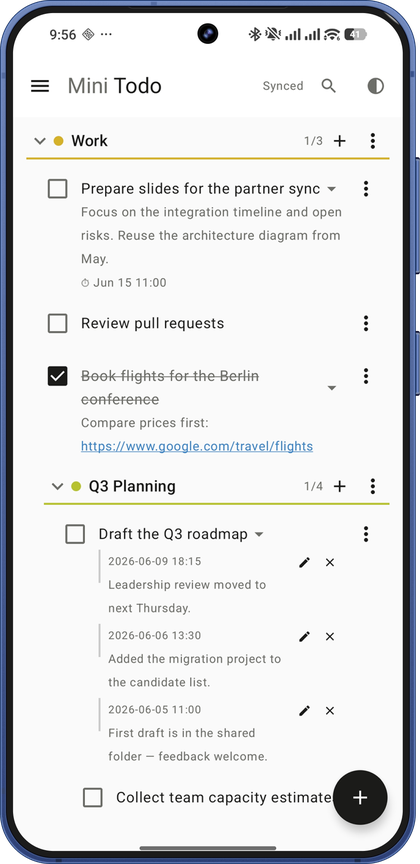
Mini Todo on Android — nested lists with deadlines and comments

Yes, another todo app.

We know. The world needed one more todo app like it needed another streaming service. But hear us out, because this one is structurally incapable of doing the things you hate.

Every popular todo app today is a subscription with a database attached. You create an account. Your tasks go to their servers. Their analytics SDKs take notes. And every month, rent is due on your own grocery list.

Mini Todo has no servers to send your tasks to. Everything you write is stored as a single file in your own Google Drive — in a hidden app folder only this app can touch. Phone and web stay in sync through that one file. There is no Mini Todo cloud. There is no Mini Todo account. There is just you, your tasks, and a Drive folder you already owned.

This isn't a privacy feature. It's the architecture. Your tasks go from your device straight to your Drive; we never get a copy, not even if you ask us nicely.
What it proudly doesn't do

Our feature roadmap is mostly a list of refusals.

Subscription Nope.

The popular ones charge $36–84 a year, forever, to store your shopping list. We charge once. Owning software: a retro concept we're bringing back.

Account None.

You sign in with Google so the app can reach your Drive. That's authorization, not registration. We don't have a user database to put you in.

Analytics Zero.

Certain well-known todo apps ship around fifteen third-party SDKs, several of them analytics. Mini Todo ships zero. Not "anonymized." Zero. (This website counts visits only if you say yes.)

AI assistant Absent.

No chatbot will offer to "optimize your productivity journey." You write a task. You do the task. Revolutionary workflow, we know.

Social features Never.

You cannot follow anyone. No one can like your grocery list. Your streak is not shared with your team. There is no team.

Artificial limits No.

No "5 projects on the free plan" hostage situations. Unlimited lists, unlimited nesting, unlimited tasks. It's one JSON file — why would we ration it?

What it actually does

A short list. That's a feature too.

01

Nested everything

Lists inside lists, subtasks inside subtasks, as deep as your denial goes. Drag anything anywhere — reorder, indent, outdent, on phone and web alike.

02

Reminders that actually fire

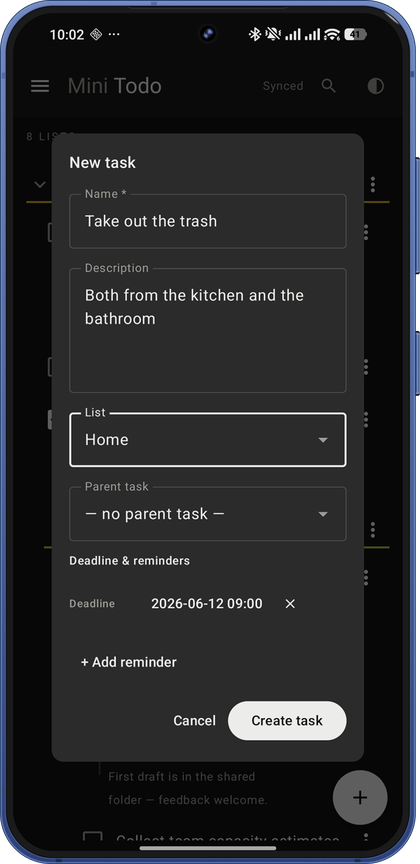
Exact alarms, on the minute you picked. Deadlines get their own notification. Tap it and the app lands you on the task, glowing politely.

03

Repeats that know when you did it

Every Wednesday, every weekday, or "a week after I last watered it" — with or without a deadline. Tick it early and it stays done until it's due again; tick it late and the missed ones don't pile up.

04

Syncs through your Drive

Phone and web read the same file in your Drive. Edit anywhere, it shows up everywhere. Offline on the phone? Edit away — it reconciles when you're back.

05

Search that finds things

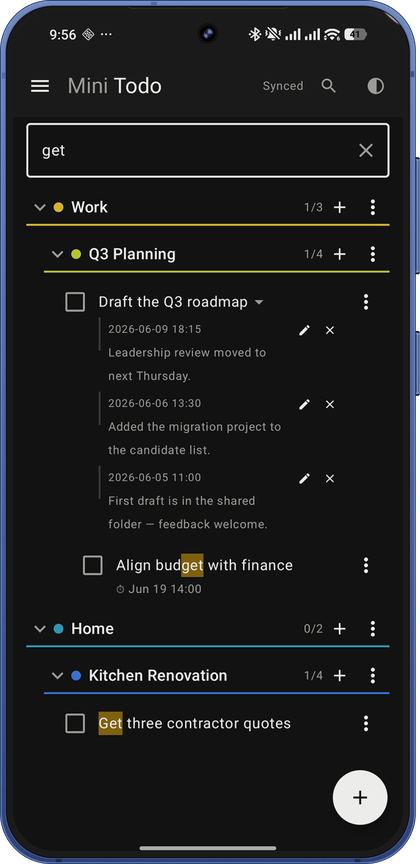
Names, descriptions, comments — matches highlighted in amber, family tree included. Your 2 AM ideas are no longer lost to history.

06

Comments, colors, dark mode

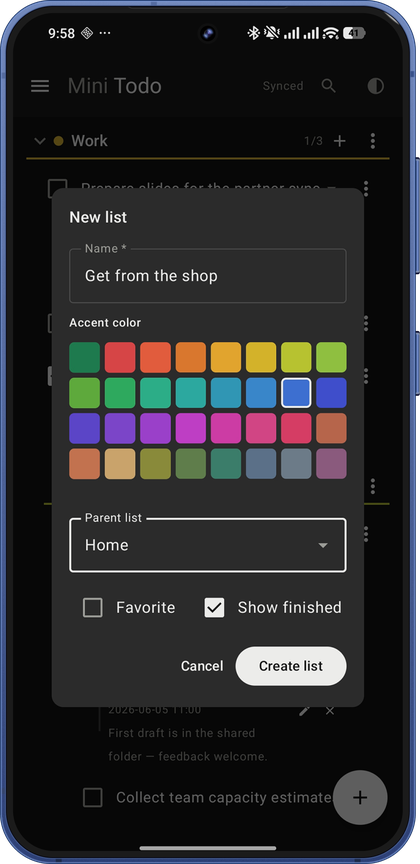
Leave notes on tasks. Color-code 32 ways. Toggle dark or light with one tap — even your theme choice syncs, because why shouldn't it.

07

Duplicate in a tap

Copy any task, settings and all, for chores that are really several. The copy lands right below the original.

08

Favorites, front and center

New lists are favorited automatically. Pin and reorder them, and add a task from the bottom of any list without digging for it.

09

Your data, exportable

One tap downloads everything as JSON. Import it back anytime. It's your file in your Drive — we just made the door obvious.

See for yourself

Drag the slider. Real screenshots, no stock photos of people high-fiving.

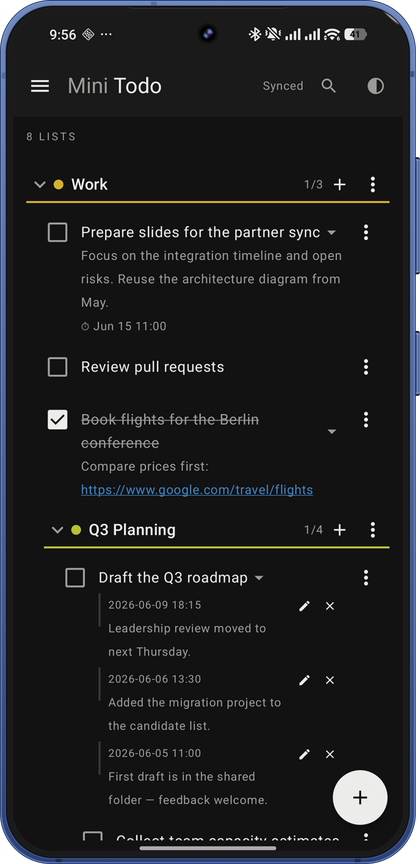
Nested lists with tasks, deadlines and comments
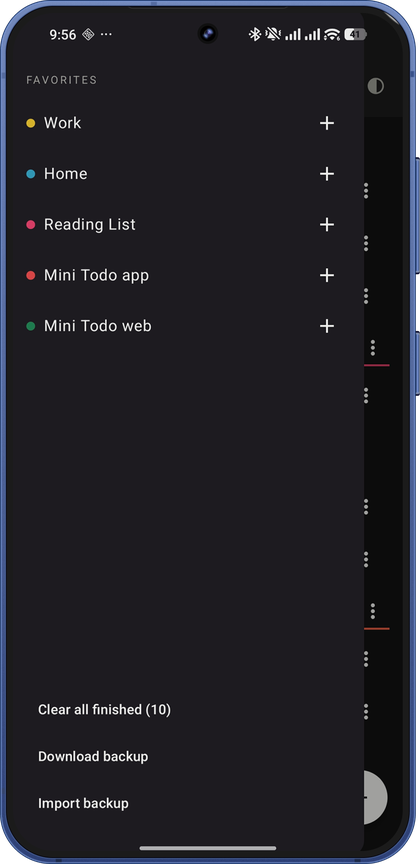
Favorites sidebar with quick add and backups
Search with highlighted matches
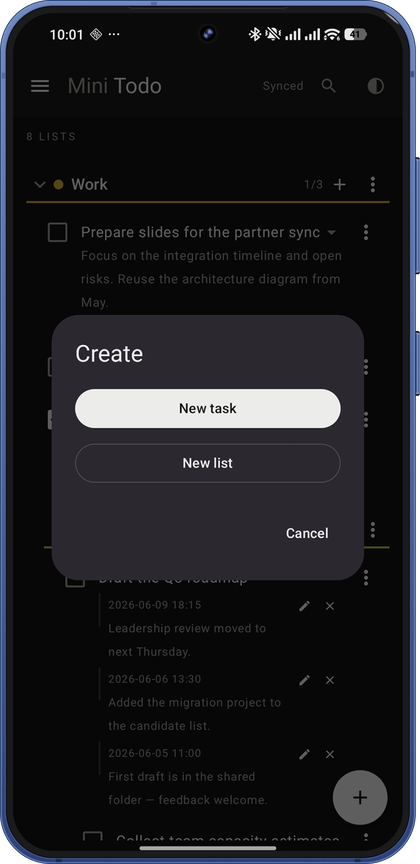
Create menu for tasks and lists
New list editor with 32 accent colors
Task editor with deadline and reminders
Light theme

Mini Todo vs. The Popular Ones

Names withheld to protect the heavily funded.

 Mini TodoThe Popular Ones
PricingPay once$36–84 every single year
Account requiredNo — it's your DriveYes, mandatory, with newsletter
Where your tasks liveYour own Google DriveTheir servers, for years
Analytics SDKs in the app0Around 15, several analytical
Free plan limitsThe web app is just… free5 projects, then the paywall
AI productivity coachBlissfully absentIncreasingly unavoidable
Do your tasks pass through the developer's servers?Never — your device talks to your DriveTrust the privacy policy
Nested subtasksUnlimited depthDepends on the plan
Exact remindersTo the minuteOften a paid feature

Figures reflect typical leading task apps as of mid-2026. We'd cite names, but their legal teams are better funded than our entire company.

Why we made it

The developer needed a todo list. Every option was a subscription, an account, and a quiet stream of telemetry — to store text files. That's it. That's the whole product category.

So this app stores your text file where your text files already live: your own cloud storage. The phone app costs a small one-time amount because building it took several evenings. The web version is free because keeping it from you would have required building the kind of infrastructure this whole project exists to avoid.

Honest limitations, since we're being honest: it needs a Google account (the Drive is the whole point), web notifications only fire while the page is open (the phone covers the rest), and there's no team collaboration — it's a todo list, not a workspace, and it intends to stay one.

Try it without trusting us.

The web version is free, full-featured, and stores everything in your own Drive. If you like it, the Android app adds reminders that fire on the dot.

Get the Android app Open the web app — free