
On Wear OS, a compass is usually an app. You open it, you look at the dial, you close it, and the next time you want a heading you open it again. This one's a complication instead. It lives inside the watch face you already use — in the slots designers leave for things like step counters and weather widgets — so the heading is just there, alongside the time, ready whenever you glance at your wrist.
Drops into the slots your watch face already has.
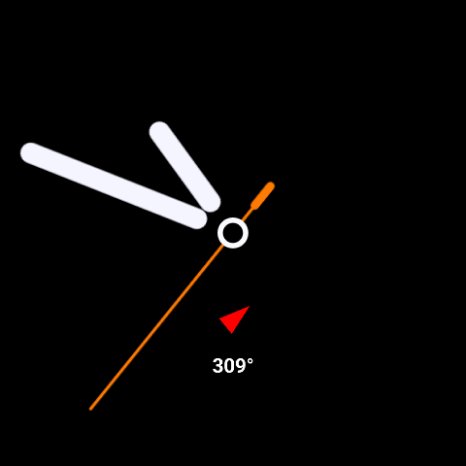
A single complication, in the wild
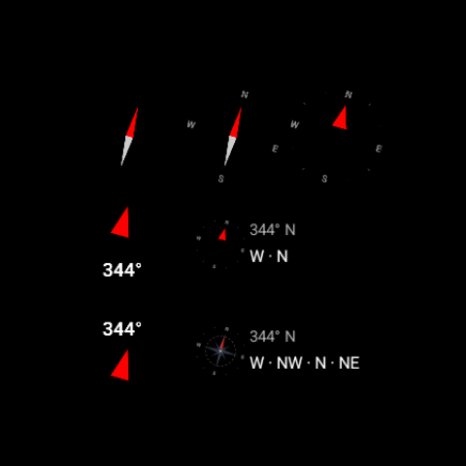
Multiple variants, side by side
Sized for the slots they actually have.
Variants 1–7 fit Circle and SmallBox slots. Variants 8–9 are designed for LargeBox slots — wide horizontal HUD-style strips. Numbered in the picker for quick selection.
Needle
A bicolor needle. Red points to north. The minimum viable compass.
Cardinals
Needle plus N, E, S, W rotating with the dial.
Ticks
North arrow plus tick marks every 30° around the perimeter.
Ring
Ticks plus intercardinals — NE, SE, SW, NW.
Rose
An eight-point compass star. Slightly antique, deliberately so.
Arrow & Degrees
Arrow on top, degrees underneath.
Degrees & Arrow
Degrees on top, arrow underneath.
HUD Cardinals
A horizontal heading strip with cardinals — the kind you've seen in first-person games.
HUD Full
Strip plus intercardinals plus a live degree readout up top. The maximalist option.
Things you might want to know before tapping install.
No accounts. No ads. No tracking.
A short list of things this app categorically isn't doing with your data:
- Collecting analytics
- Showing advertisements
- Asking you to make an account
- Sending data anywhere off the watch
- Reading anything beyond the magnetometer
- Selling, sharing, or aggregating your location
Location is requested only if you turn on true-north correction in settings. The reading is used on-device for declination math and goes nowhere else.